
Indicators

X Limitless - Stealth Valuation Index™

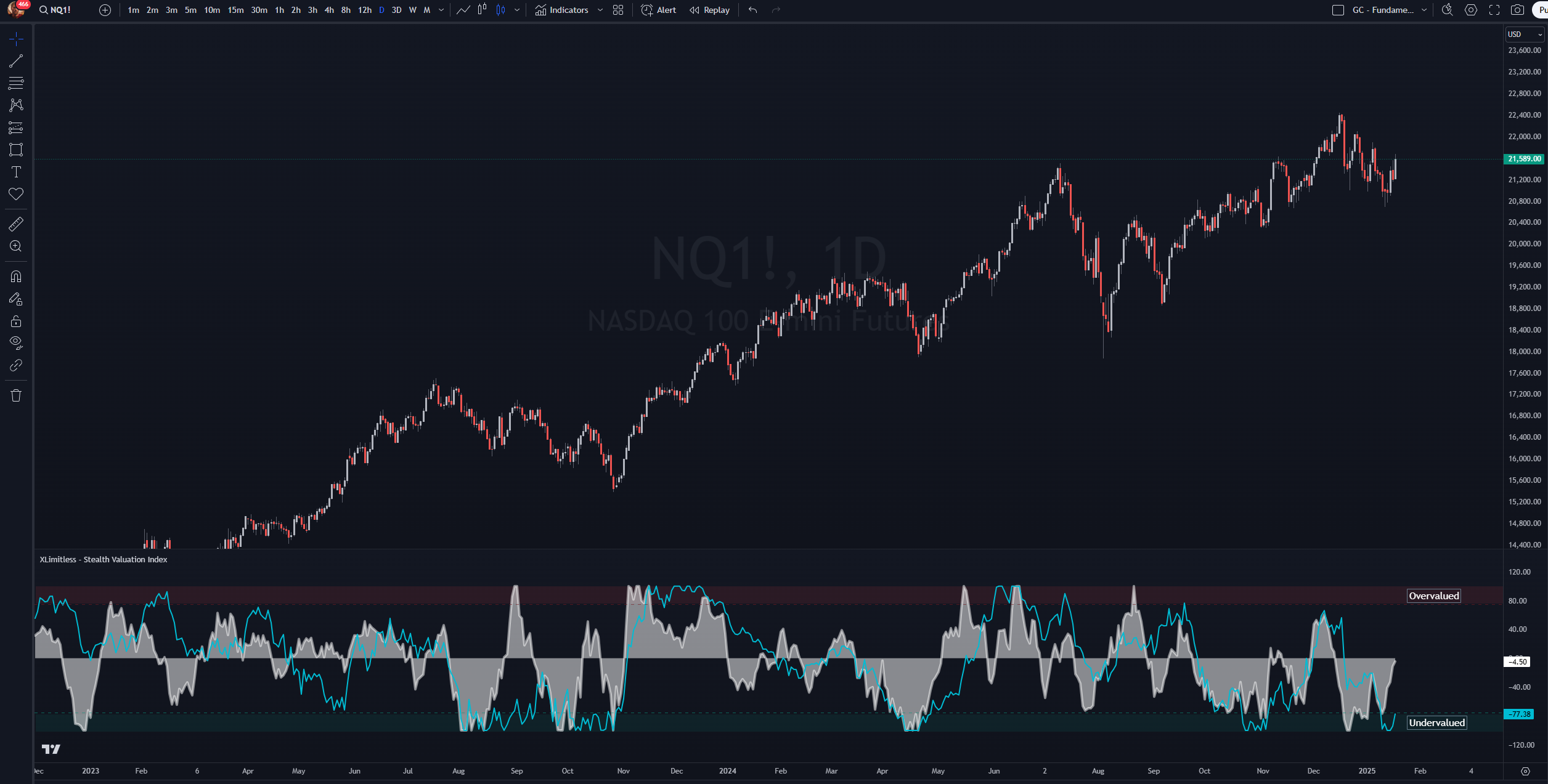
Retail traders buy high and sell low. Our Stealth Valuation Index™ flips the script. (SVI) shows real overvalued or undervalued metrics - so you can buy assets that are cheap and sell when they are expensive.
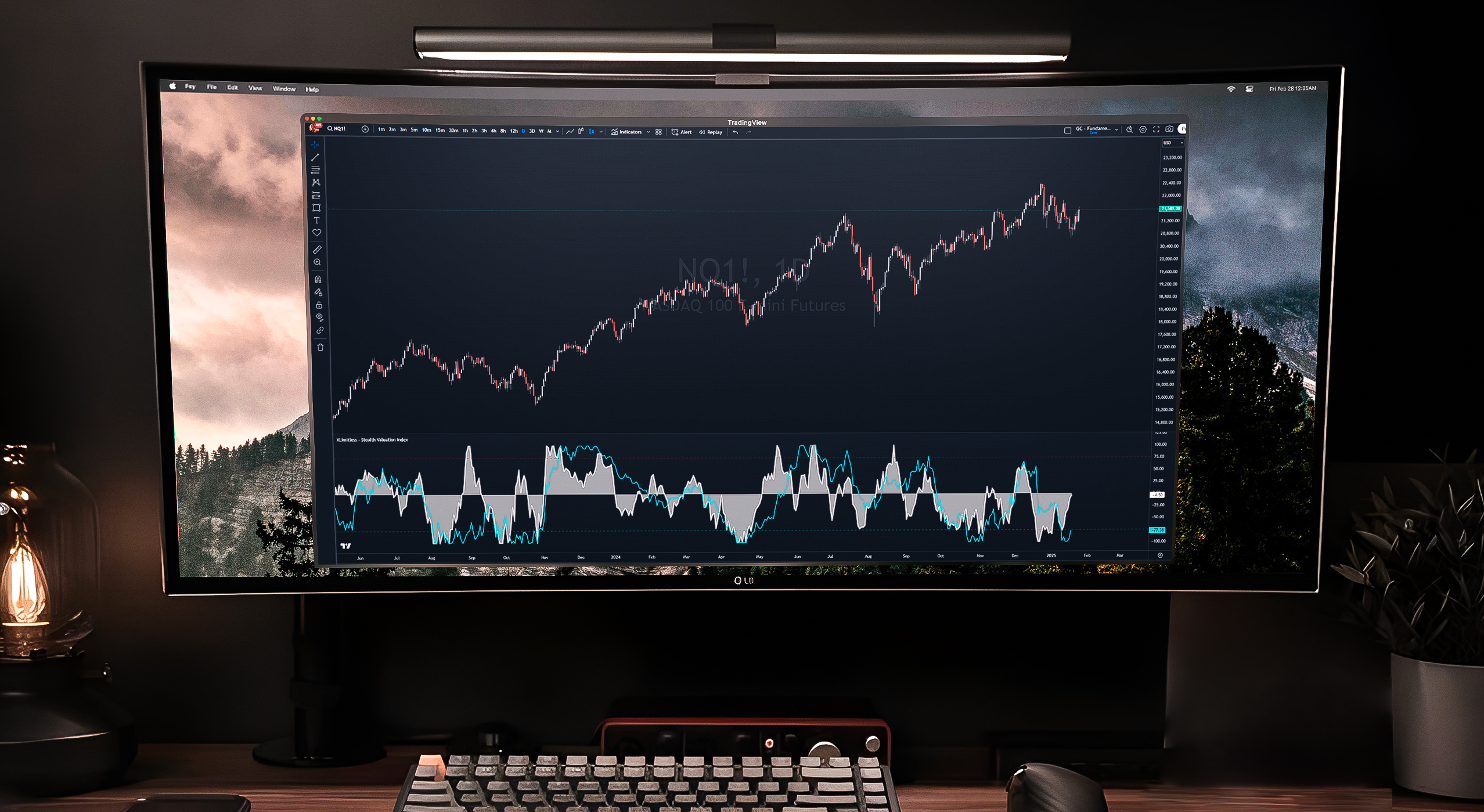
The "X Limitless - Stealth Valuation Index" is a versatile tool designed to compare the relative valuation changes of a primary asset against a selected benchmark symbol. This indicator normalizes and visualizes these comparisons, enabling traders to identify overbought or oversold conditions and make informed trading decisions.

Key Features

1. Dynamic Comparison

  • Measures percentage change in the primary asset’s price against a customizable comparison symbol.

2. Customizable Inputs

  • Primary Length: Define the period for short-term valuation analysis.
  • Additional Length: Analyze a longer-term perspective.
  • Normalization Window: Adjust the range for normalization.
  • Overbought/Oversold Levels: Set custom thresholds to identify extremes.

3. Graphical Representation

  • Plots normalized differences for primary and additional lengths.
  • Includes horizontal overbought and oversold lines for quick interpretation.

Setup Instructions

Adding the Indicator

1. Open TradingView.

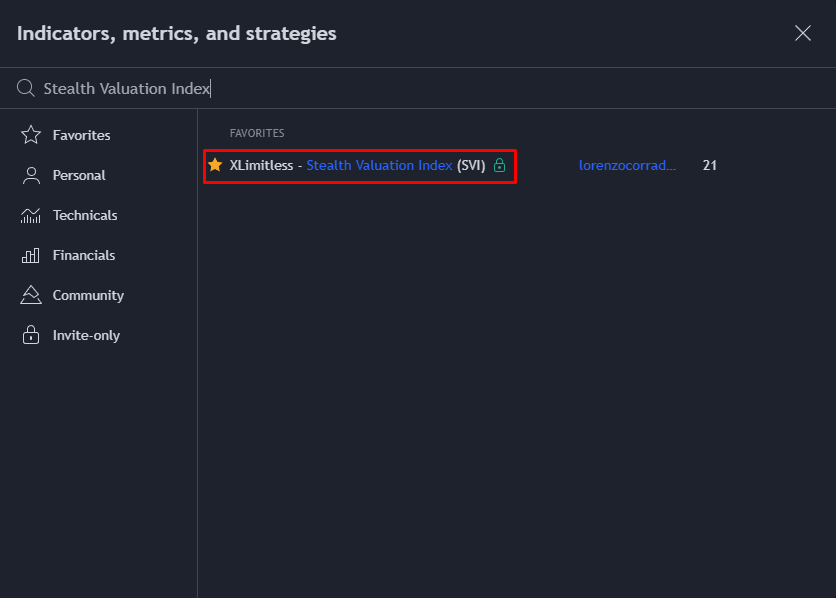
2. Navigate to the "Indicators" tab and click on “Invite Only”.

3. Search for "X Limitless - Stealth Valuation Index" and add it to your chart.

4. Apply the Intra-Day, Daily or Weekly Timeframe (Input will refer to the chosen timeframe).

Customizing Inputs

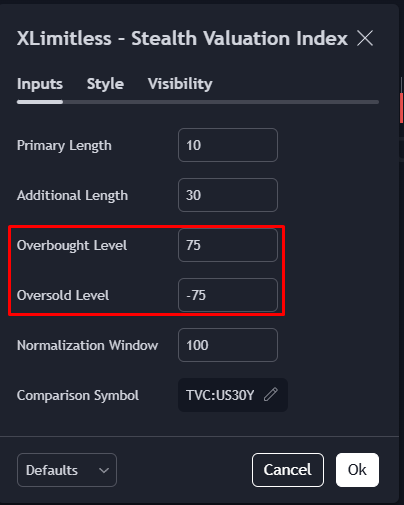
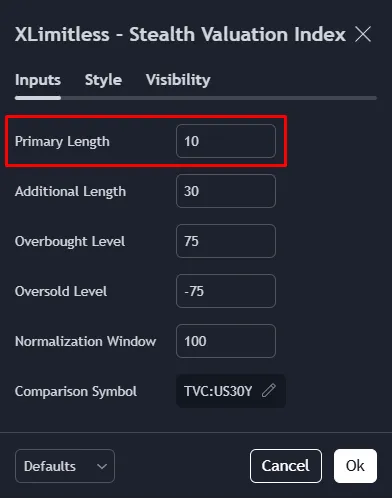
Primary Length (N):

Define the number of periods for short-term analysis (default: 10).
Additional Length:

Set the length for additional valuation analysis (default: 30).
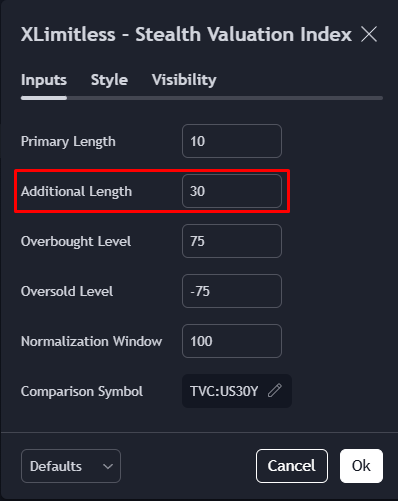
Overbought Level:

  • Define the upper threshold for potential overvaluation (default: 75).

Oversold Level:

  • Define the lower threshold for potential undervaluation (default: -75).

Normalization Window:

The Normalization Window is how far back the indicator looks to scale data between [-100, 100], helping you see how today’s values compare to the past. Use a shorter window for recent trends or a longer one to capture bigger picture movements.

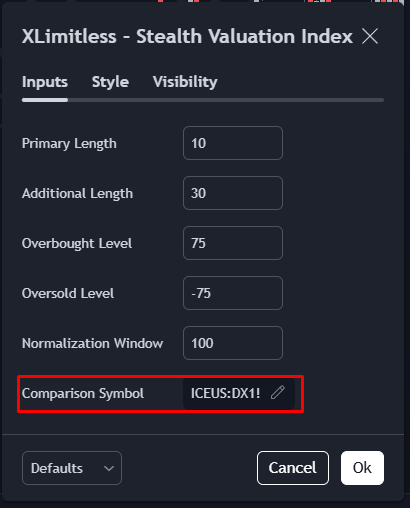
Comparison Symbol:

Input a benchmark symbol for valuation comparison (default: DX1! - Measured against the Dollar Futures).
How It Works?

Calculation Overview

1. Percentage Change:

  • Calculates the percentage change in price over the defined primary and additional lengths for both the primary and comparison symbols.

2. Difference:

  • Computes the difference between the primary symbol’s and the comparison symbol’s percentage changes for both lengths.

3. Normalization:

  • Normalizes the differences to a range of [-100, 100] based on the selected normalization window.

Plotting Mechanics

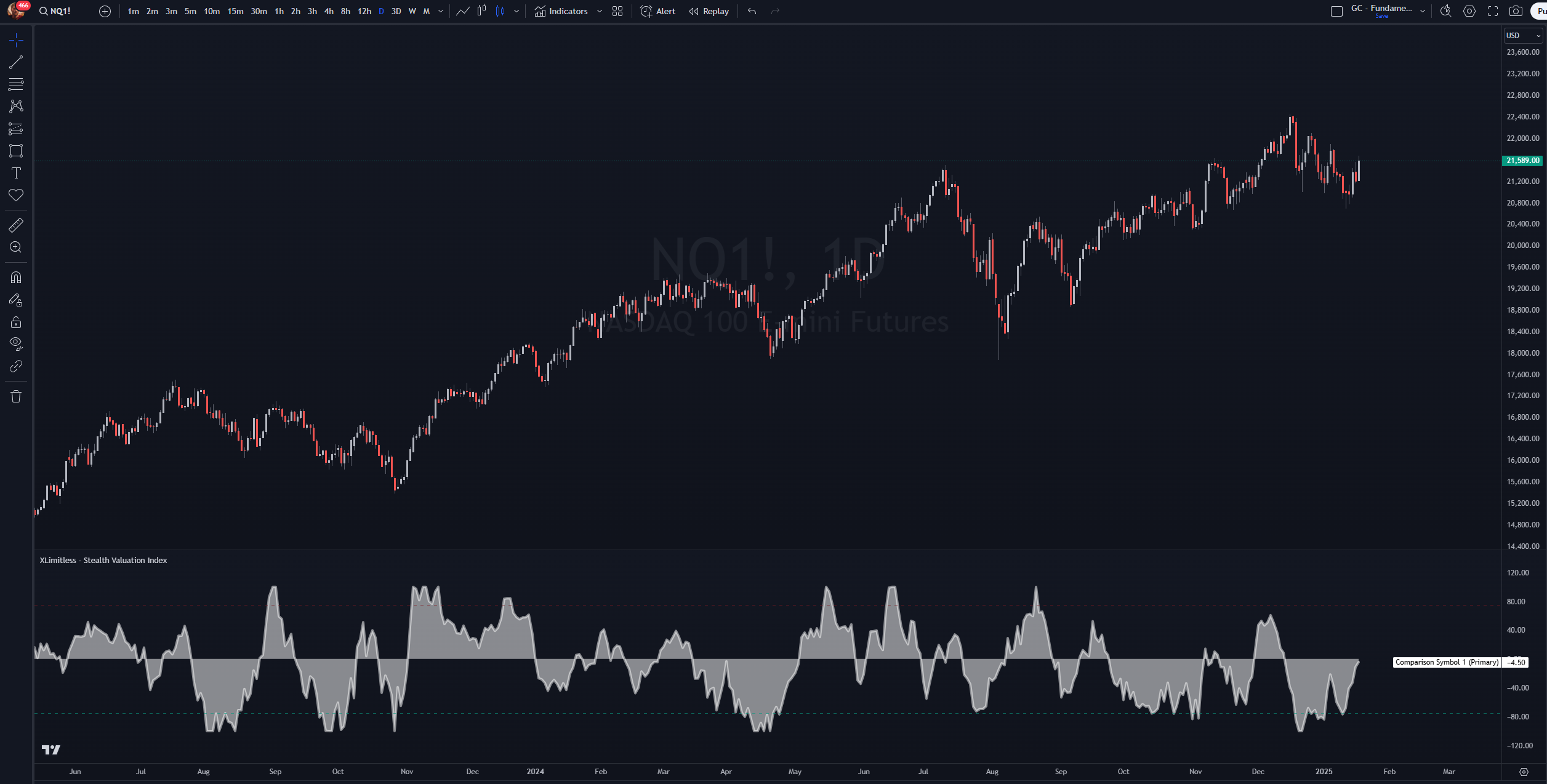
  • Primary Length Plot: Displays short-term normalized valuation differences (white shaded area).
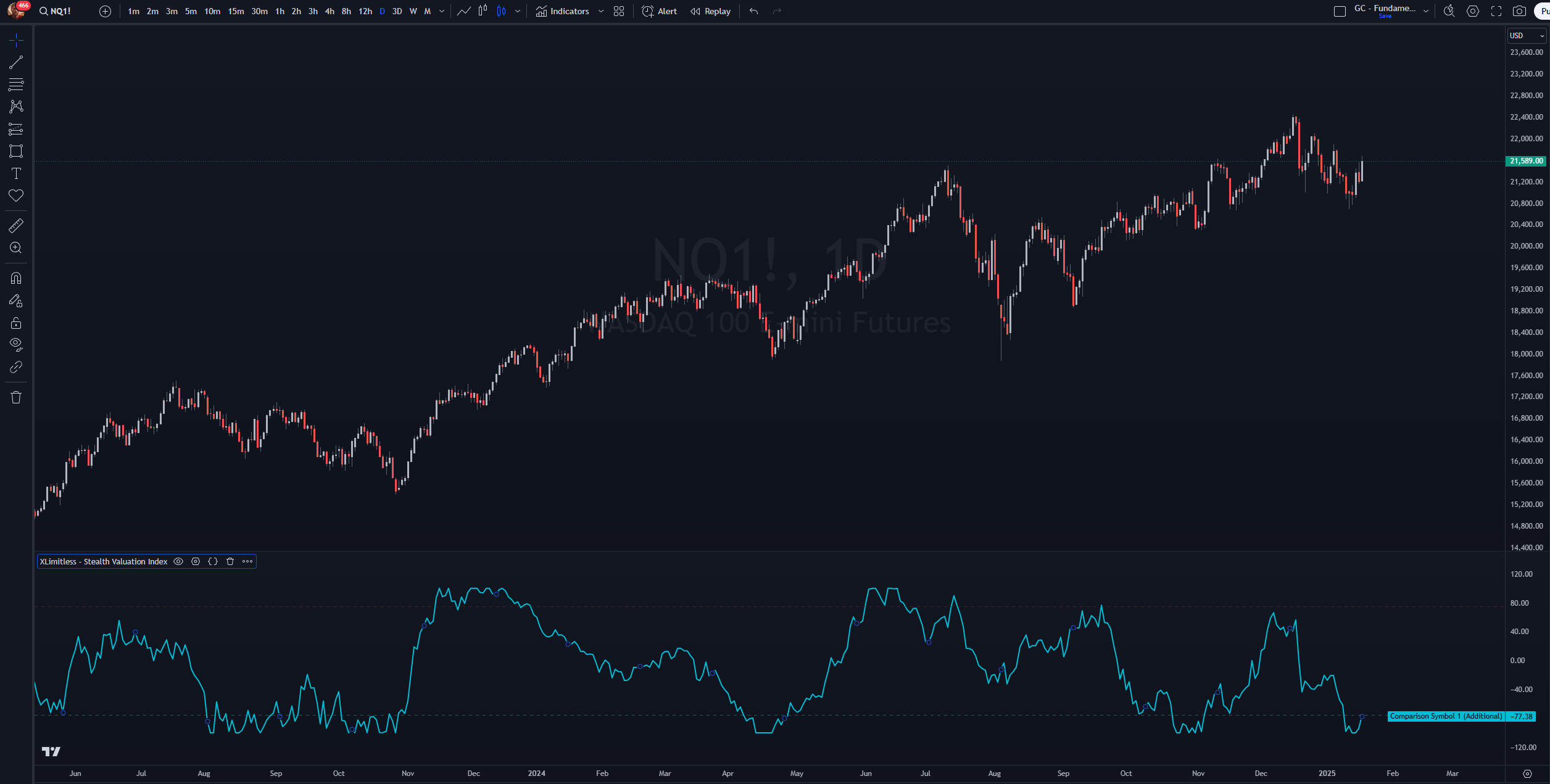
  • Additional Length Plot: Displays longer-term normalized valuation differences (blue line).
  • Horizontal Lines: Indicate overbought and oversold thresholds for quick visual reference.

Best Practices

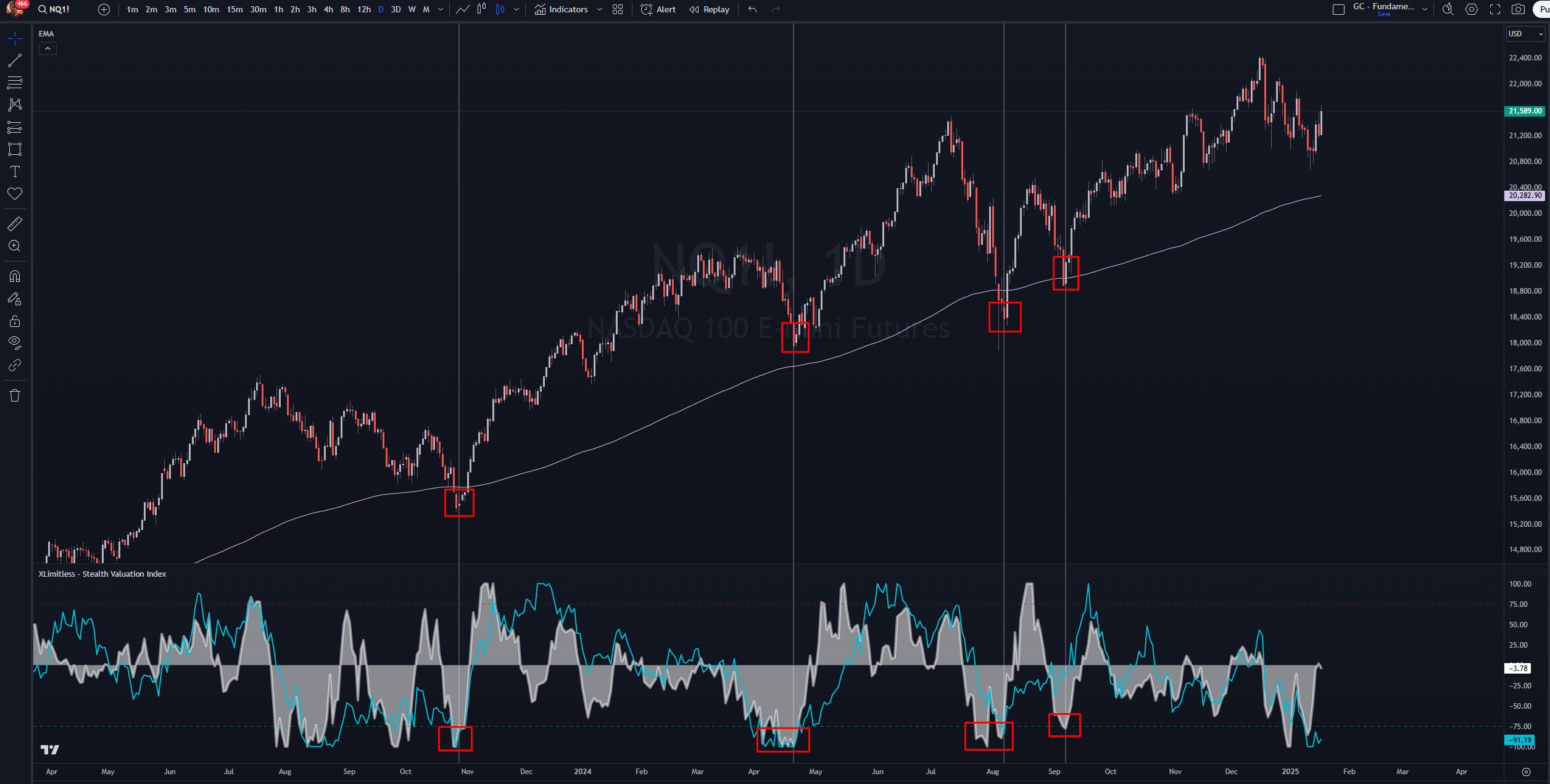
1. Combine with a Trend Confirmation

  • Use in conjunction with trend-following tools (e.g., moving averages).

2. Focus on Extremes

  • Look for divergences when the primary length shows overbought/oversold conditions or wait for the Primary Length and Additional Length to align.

3. Adjust Thresholds

  • Customize overbought and oversold levels based on the asset’s historical behavior and volatility.

Example Use Case

Scenario:

  • You are analyzing the performance of Gold (XAU/USD) relative to the US Dollar Index (DX1!).

Steps:

  1. Add the indicator to your Nasdaq NQ chart.
  2. Spot the Trend (Bullish, Bearish or Neutral).
  3. Set the comparison symbol to DX1! or Any other Symbol for it’s comparison.
  4. Observe the plots:
    • Primary length plot indicates an overbought condition (-75).
    • Additional length plot shows a stable trend below (-50).
  5. Conclusion: Nasdaq NQ is undervalued relative to the Bond Market (US30Y), signaling a potential correction.

FAQs

1. What does normalization do?

  • The Normalization Window sets the time range the indicator uses to compare current data against past values, scaling everything to a fixed range of [-100, 100]. This makes it easier to identify whether current levels are historically high, low, or neutral. A shorter normalization window is great for capturing recent trends and quick changes in market behavior, while a longer window smooths out short-term fluctuations and focuses on broader market cycles. Choosing the right window depends on your trading style. Use shorter periods for active, short-term strategies and longer periods for analyzing big-picture trends.

2. Can I compare multiple symbols?

  • Currently, the indicator supports one comparison symbol at a time. You can add multiple instances for additional comparisons to value different cycle periods.

3. Why are my plots flat?

  • Ensure the primary and comparison symbols have sufficient historical data for the selected lengths and normalization window.

Disclaimer

The Stealth Valuation Index is a powerful tool designed to assist in analyzing asset valuations and market trends; however, it should not be considered financial advice or a guaranteed predictor of market movements. Trading involves significant risk, and past performance does not guarantee future results. Always use this tool in conjunction with other analysis methods and perform your own due diligence before making any investment decisions. The user assumes all responsibility for their trading actions and the associated risks.