

Get Started

What are X Limitless Indicators?

Start learning about how Indicators works within minutes.

X Limitless is our proprietary indicator stack hosted on TradingView. We give access to institutional grade smart money tracking and forecasting for retail traders.


Money talks, we translate. The truth is, 97% of retail traders (dumb money) miss the opportunities our indicators reveal. You've never experienced this level of confidence.


How does it work? You install the indicators, get insider data, and follow the smart money. A sophisticated way to trade.

The X Limitless indicators are exclusive for LTA VIP members only.
Navigation Menu

Category: Commitment of Traders (COT)

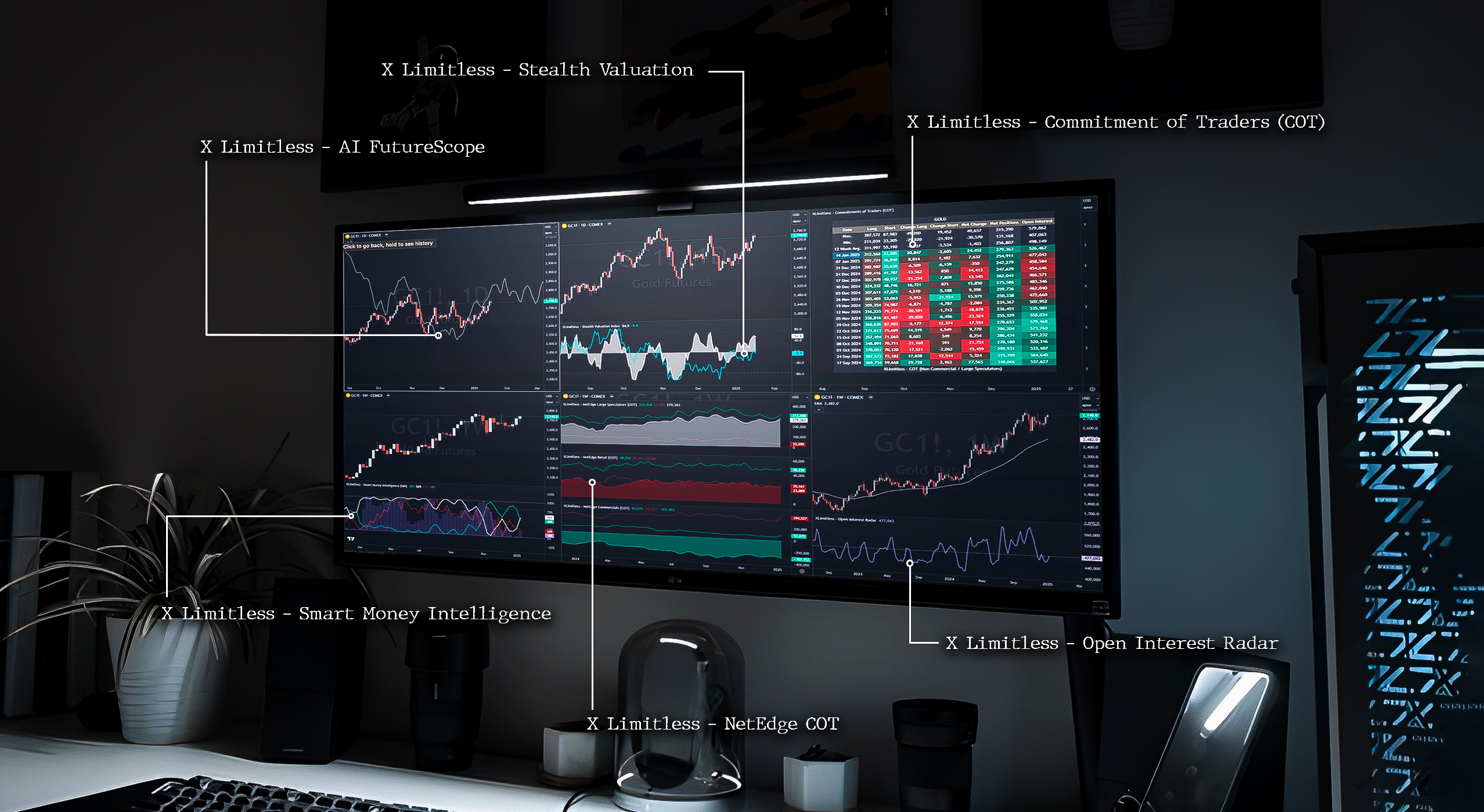
  • NetEdge Indicators (COT): Track sentiment and positioning for Retail, Large Speculators, and Commercial traders.
  • Commitments of Traders (COT): Comprehensive insights into market participant positions, including Long, Short, and Net positions with heatmaps.
  • Open Interest Radar: Monitor open interest levels and identify extremes for better trading decisions.

Category: Seasonality and Trends

  • AI FutureScope: Forecast future trends and seasonal patterns using historical data.
  • Alpha Screener: Analyze seasonal performance for a specific month across multiple years.

Category: Valuation and Positioning

  • Stealth Valuation Index: Compare asset valuations against benchmarks to identify overbought or oversold conditions.

Category: Setup and Usage

  • Setup Instructions: Step-by-step guide for applying indicators on TradingView.
  • Customizing Inputs: Adjust settings like lookback periods, plotting styles, and table positions.

Category: Best Practices and Support

  • Best Practices: Combine indicators with technical analysis and focus on sentiment extremes for enhanced trading strategies.
  • Example Use Cases: Explore real-world examples of each indicator in action.
  • Support and Community: Join the Limitless fam on Discord for discussions and support.

Get Started in 3 Easy Steps

1. Choose Your Indicator:

Decide which tool fits your trading goals. For example, use the NetEdge Indicators for market sentiment or the Alpha Screener for seasonal insights.

2. Add the Indicator to TradingView:

Follow our step-by-step instructions to integrate the tool seamlessly.

3. Analyze and Take Action:

Apply the indicator to your chart, customize the settings, and use the insights to inform your trades.